

In Ragnarok M: Classic, acquiring MVP cards can significantly enhance your character’s abilities and provide substantial in-game wealth. This guide presents a streamlined method to reroll MVP cards efficiently, enabling even new players to obtain these valuable items in approximately five minutes. Make sure to follow the steps in the given order for an accurate way of re-rolling. Missing out on any of the steps can result in either delays or failure. Keep in mind, Got questions about guilds, gaming, or our product? Join our Discord for discussions and support!
Advance Your Account to Level 10 Fast
Begin by creating a new account or utilizing an alternate character to expedite the process. Immediately proceed to the frontier area, focusing on reaching level 10 swiftly. Engage in the “New Beginnings” event and acquire a Meteoric Chain, an item that accelerates your experience gain, facilitating level 10 attainment within 3 to 4 minutes. Using this item is essential as it accelerates your leveling up speed, ensuring no delay while re-rolling.
Input Some of the Active Redeem Codes
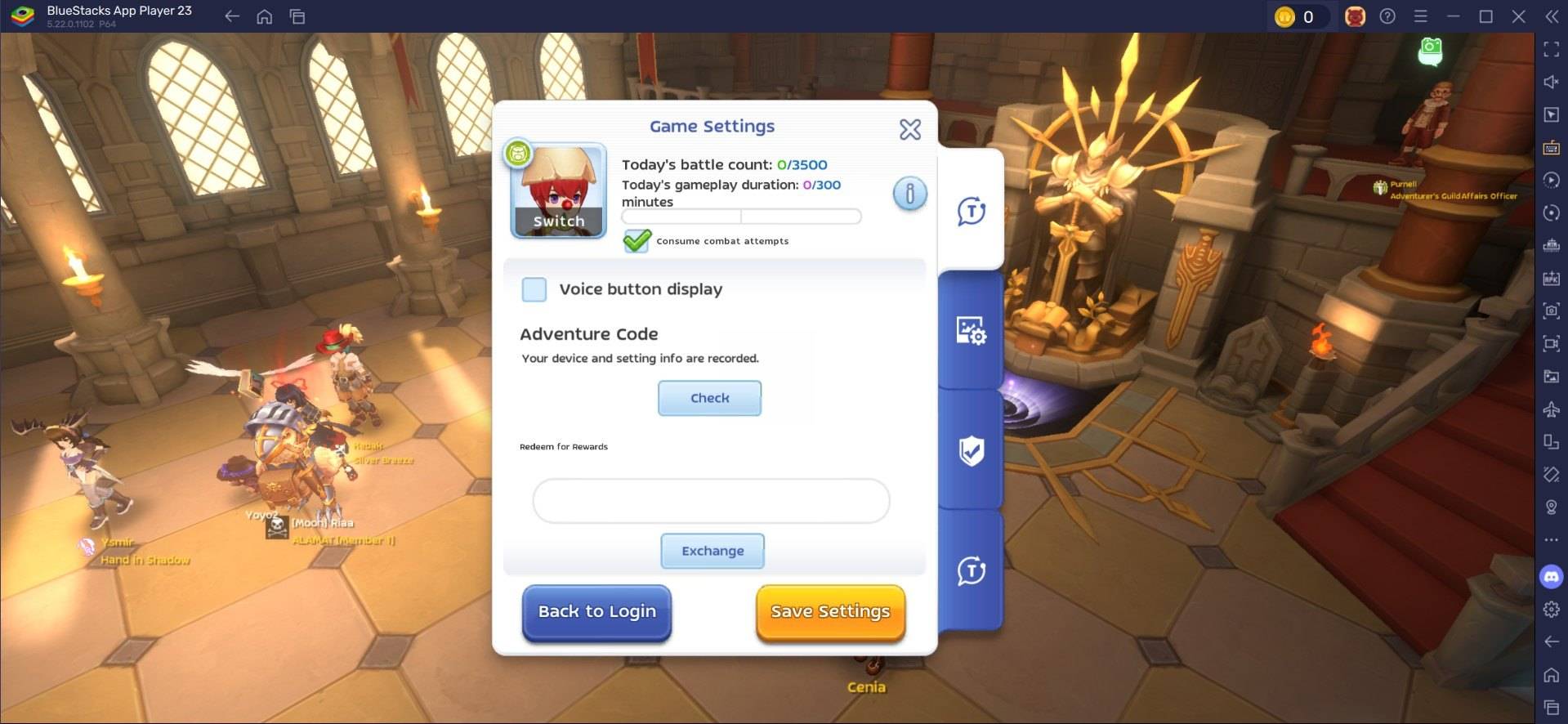
Upon reaching level 10, you'll gain access to the settings menu where you can input the available reroll codes. Ensure accurate entry, as these codes are time-sensitive and must be precise to be effective. If the code isn’t accepted on the first attempt, re-enter it until successful. Once validated, claim all associated rewards. For a comprehensive list of active codes, we recommend checking out our blog.
Sell/Trade the Acquired MVP Cards
Once a valuable MVP card is secured, proceed to the in-game Exchange to sell or trade it. High-demand cards like Moonlight Flower can attract buyers willing to pay between 20,000 and 30,000 Zeny. Utilizing features such as Ghost Trading can further maximize profits from specific cards. By adhering to this methodical approach, players can efficiently reroll for MVP cards in Ragnarok M: Classic, enhancing their gameplay experience and financial standing within the game.
Re-roll Faster with BlueStacks and Its Supportive Features
Playing Ragnarok M: Classic on your PC with BlueStacks not only enhances your overall gaming experience but also makes the process of re-rolling more efficient thanks to its supportive features. The Multi-Instance Manager of BlueStacks allows players to create multiple instances, each acting as a separate Android device. You can clone the current instance to avoid re-installing the game on all instances. Once you have created a sufficient number of instances that your device can handle, head over to sync instances and assign the original instance as the “master instance”.
This feature allows you to control the actions on all instances by simply executing commands in the master instance. Next, perform the re-rolling process on the master instance and watch the magic unfold as it happens on the rest of the instances as well. You can use guest accounts for this process, and once you have completed the re-roll, simply bind the account to save your progress.
Players can enjoy playing Ragnarok M: Classic on a bigger screen of their PC or Laptop via BlueStacks, along with using your keyboard and mouse for a more comfortable gaming experience.
 Latest Downloads
 Downlaod




 Top News








