

Freedom Wars Remastered: Mastering the Art of Saving
In Freedom Wars Remastered, the relentless battles against towering Abductors and the ever-present threat of Panopticon penalties demand a proactive approach to saving. Unlike many modern games with automatic saving, manual saves are crucial for preserving your progress in this intense, fast-paced title. This guide will detail how to save your game and offer strategies to mitigate potential loss of progress.
How to Manually Save
While the game features an autosave system triggered after missions, key dialogues, and cutscenes, relying solely on autosaves is risky. The manual save function, accessible through your Accessory, offers a more reliable method.
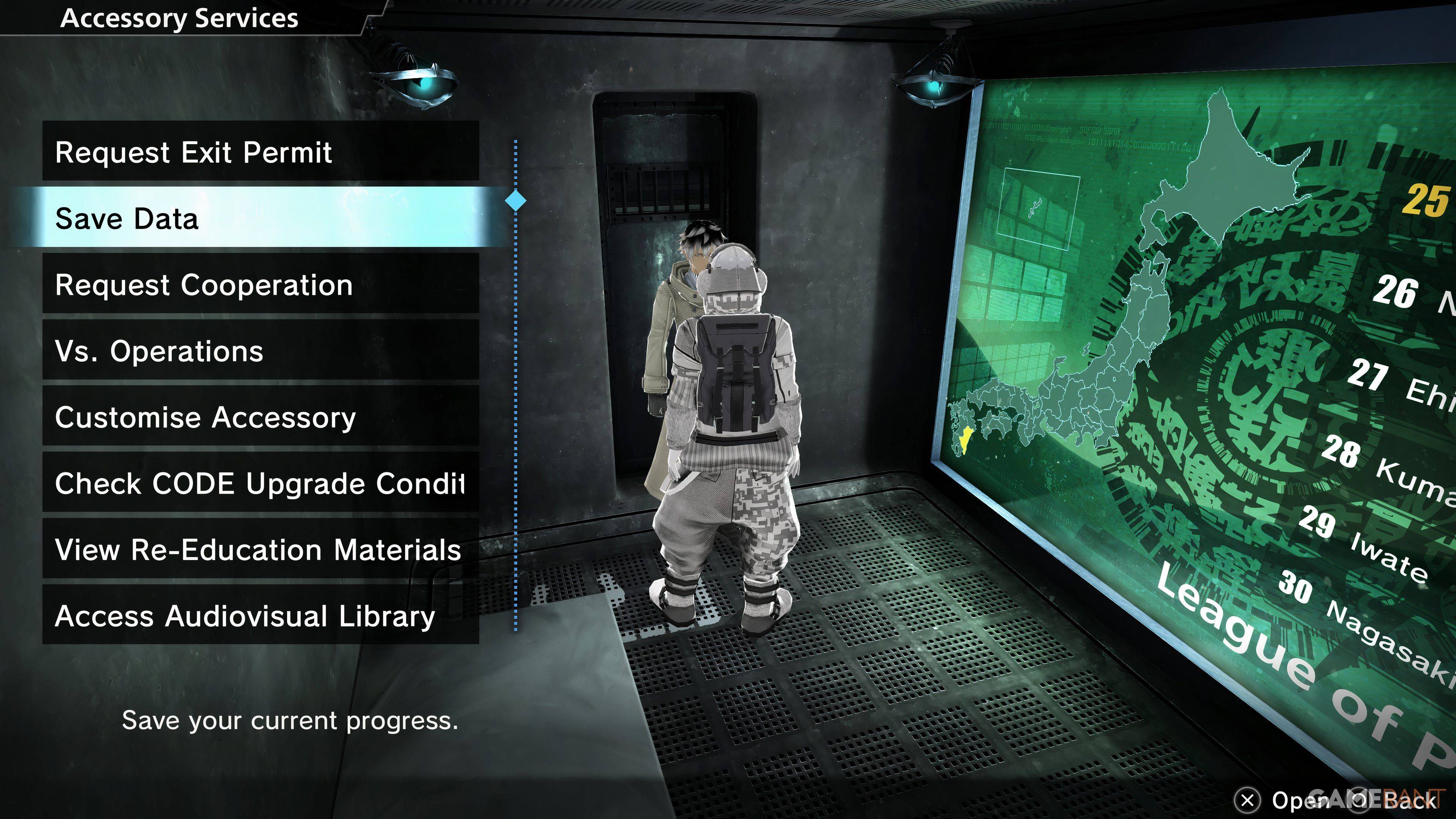
To save manually:
- Return to your Panopticon Cell.
- Interact with your Accessory.
- Select "Save Data" (the second option).
Your Accessory will confirm the save, securing your progress. It's important to note that Freedom Wars Remastered only allows for a single save file. This means you cannot create multiple save points to revisit different story choices.
Cloud Saves (PlayStation Plus)
PlayStation Plus subscribers can utilize cloud saves as a workaround for the single save file limitation. This allows you to upload your save data to the cloud and download it later, effectively creating a backup and enabling you to revert to earlier points in the game if needed.
Safeguarding Your Progress
Due to the game's demanding nature and the possibility of unexpected crashes, frequent manual saves are highly recommended. Make saving a regular habit, especially before undertaking challenging missions or when taking a break from the game. This proactive approach will minimize the frustration of lost progress.
 Latest Downloads
 Downlaod




 Top News








