Mecha Fire delivers an exhilarating blend of fast-paced action-RPG combat and strategic base-building, all set against the harsh, unforgiving backdrop of Mars. As a commander, your primary objective is to establish and sustain a fully functional settlement on the red planet. This means gathering essential resources, upgrading critical infrastructure, fending off relentless alien threats, and deploying elite teams of pilots and mechs to reclaim Martian territory. In this guide, we break down the core gameplay mechanics in simple, beginner-friendly terms to help you jumpstart your journey and progress efficiently. Let’s dive in!
Understanding the Core Gameplay Mechanics of Mecha Fire
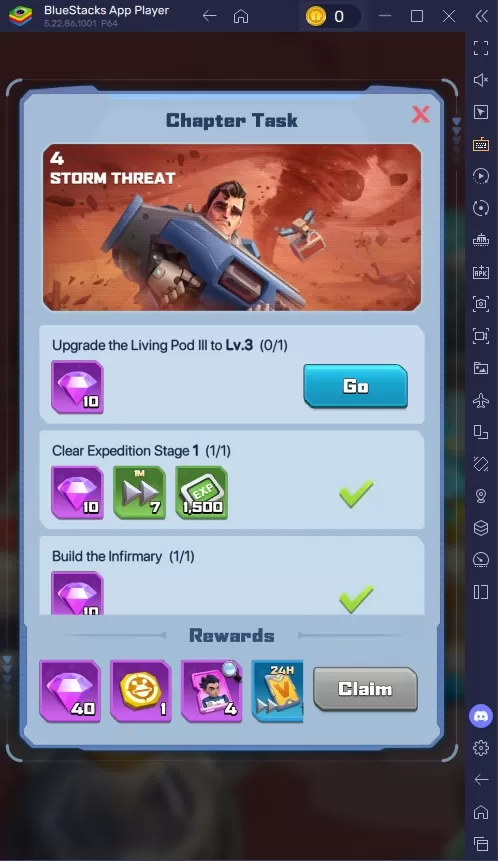
In Mecha Fire, humanity is on a mission to colonize Mars and expand into deeper space—a dangerous and demanding endeavor. From the moment you begin, the game guides you through a series of main chapter missions, accessible via the bottom-left corner of the main menu. These story-driven missions are essential for progression, offering substantial rewards upon completion of both individual missions and full chapters. New players should prioritize these tasks to unlock new features, boost their power, and gain valuable resources.
Advanced Recruit
This summoning banner allows players to recruit R-SR rarity heroes and their shards. Alongside heroes, you can also obtain various useful items such as speed-ups, skill codex, energy, power, water, and more, each with different drop probabilities. Every player receives one free summon on this banner daily—don’t forget to claim it!
Honor Recruit
The Honor Recruit banner is where players can summon high-tier R-SSR rarity heroes and their fragments. Like the Advanced Recruit, this banner also offers valuable resources including speed-ups, skill codex, energy, power, water, and other in-game essentials, with varying odds. Just like the other banner, all players are granted one free summon per day here as well.
For an enhanced gaming experience, players can enjoy Mecha Fire on a larger screen by playing on PC or laptop using BlueStacks. With the precision of keyboard and mouse controls, managing your base and commanding your mechs becomes even more immersive and responsive.
 Latest Downloads
 Downlaod




 Top News



![A Father’s Sins – Going to Hell [Ch. 7 Public] By Pixieblink](https://imgs.jzvvv.com/uploads/67/1719578270667eae9eb6a75.jpg)