

In this comprehensive guide, we'll walk you through the process of deactivating a League of Legends (LoL) account as of 2025. Please be aware that deactivating your LoL account will have consequences across all Riot Games titles.
Table of Contents ---
- Instructions
- What Happens After You Delete Your Account?
- Can You Restore Your Account After Deletion?
- Why Do People Delete Their Accounts?
Instructions
✅ First Step. Start by navigating to the official Riot Games website and logging into your account. On the left side of the page, you'll find a "My Account" button. Hover over it to reveal a pop-up menu with various options, and select "Settings."
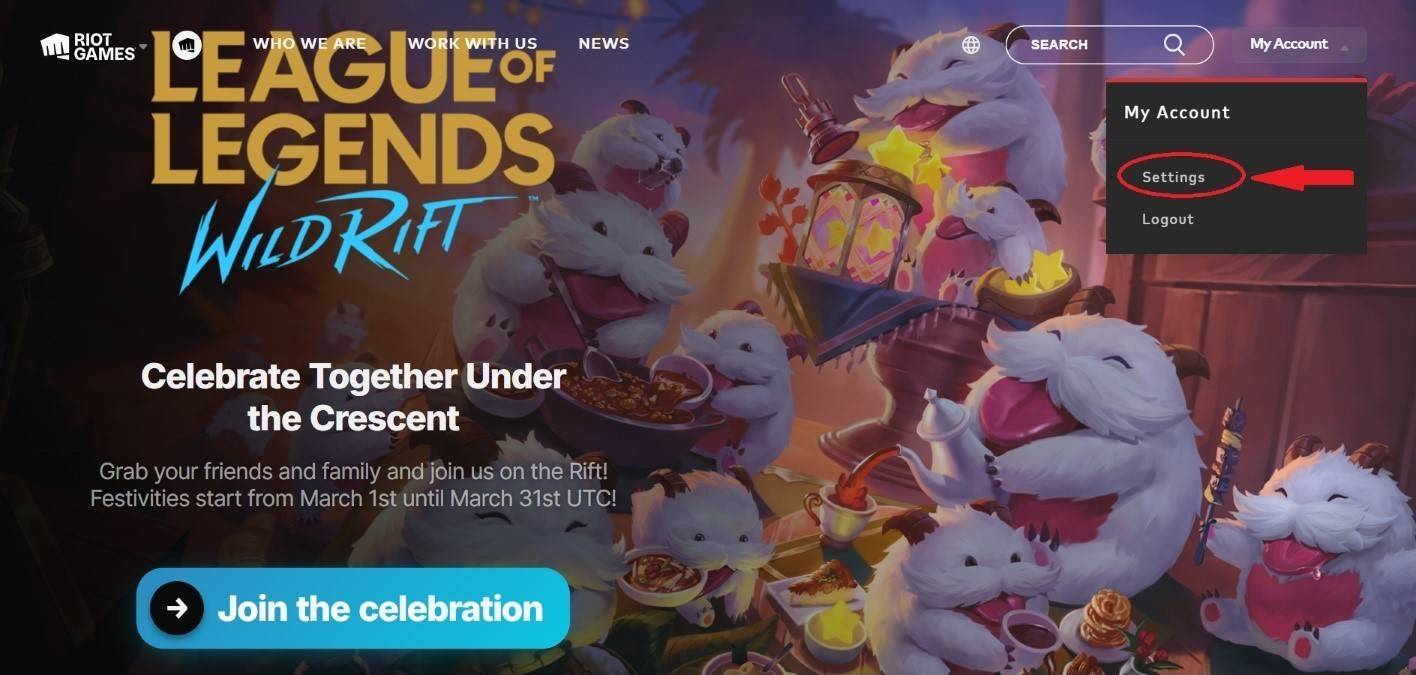 Image: ensigame.com
✅ Second Step. Once in your account settings, locate the "Support" button at the top of the screen and click it to proceed to the necessary page.
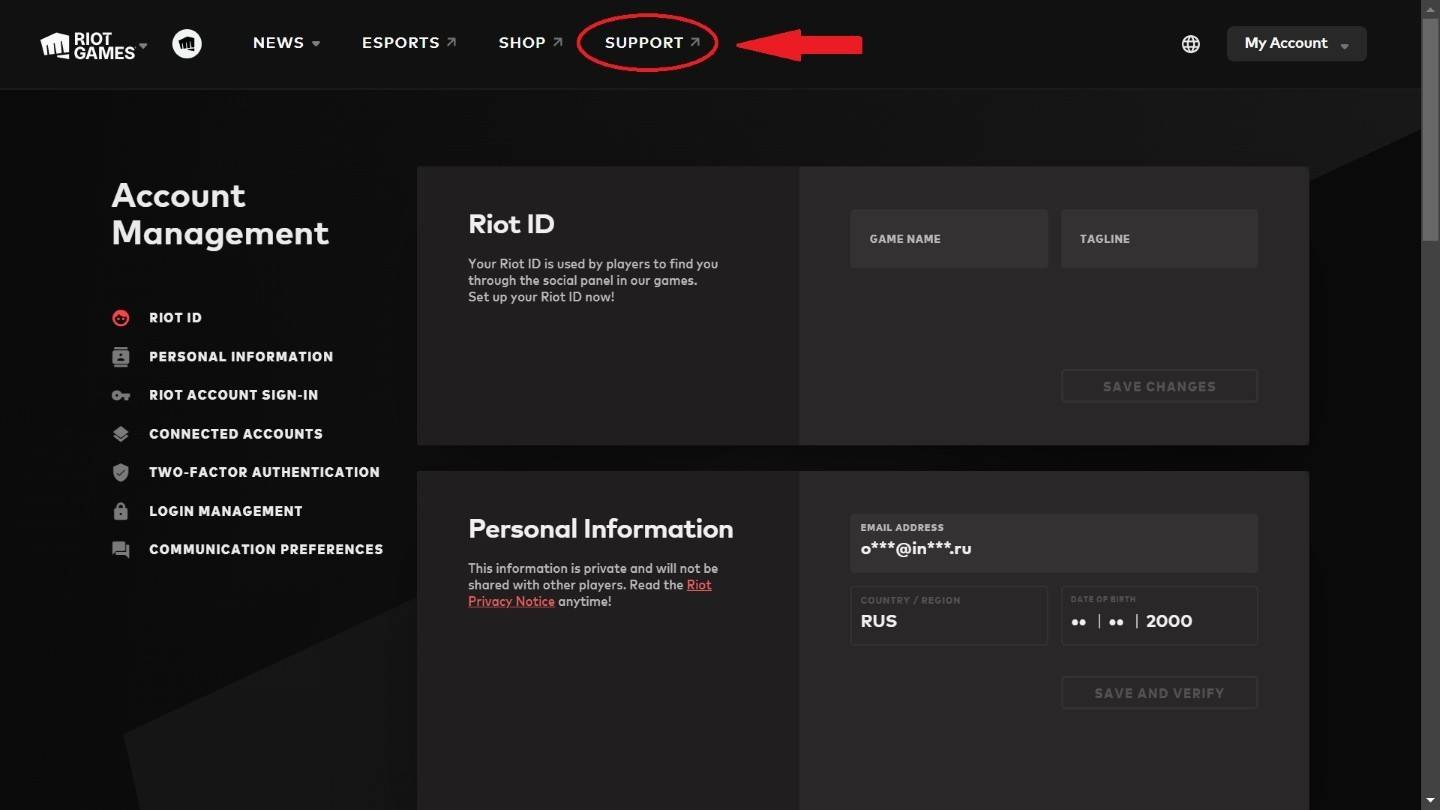 Image: ensigame.com
✅ Third Step. On the support page, scroll down to find the "Support Tools" section. Click on the "Account Deletion" button within this section.
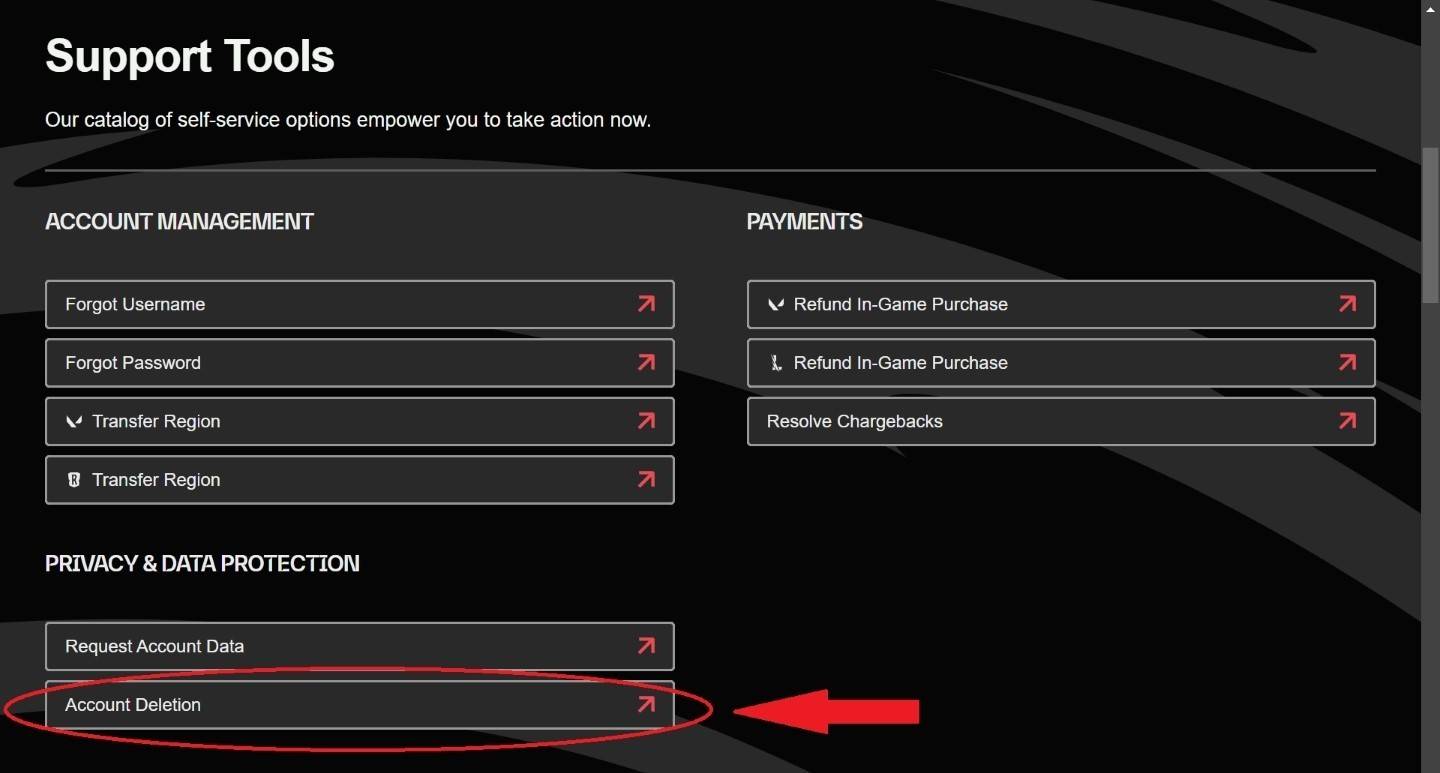 Image: ensigame.com
✅ Fourth Step. You will be redirected to a page with a "Confirm start deletion process" button. Click this button to initiate the account deletion process, which takes exactly 30 days. During this period, your account will be in a deactivated state, and you can still cancel the deletion at any time.
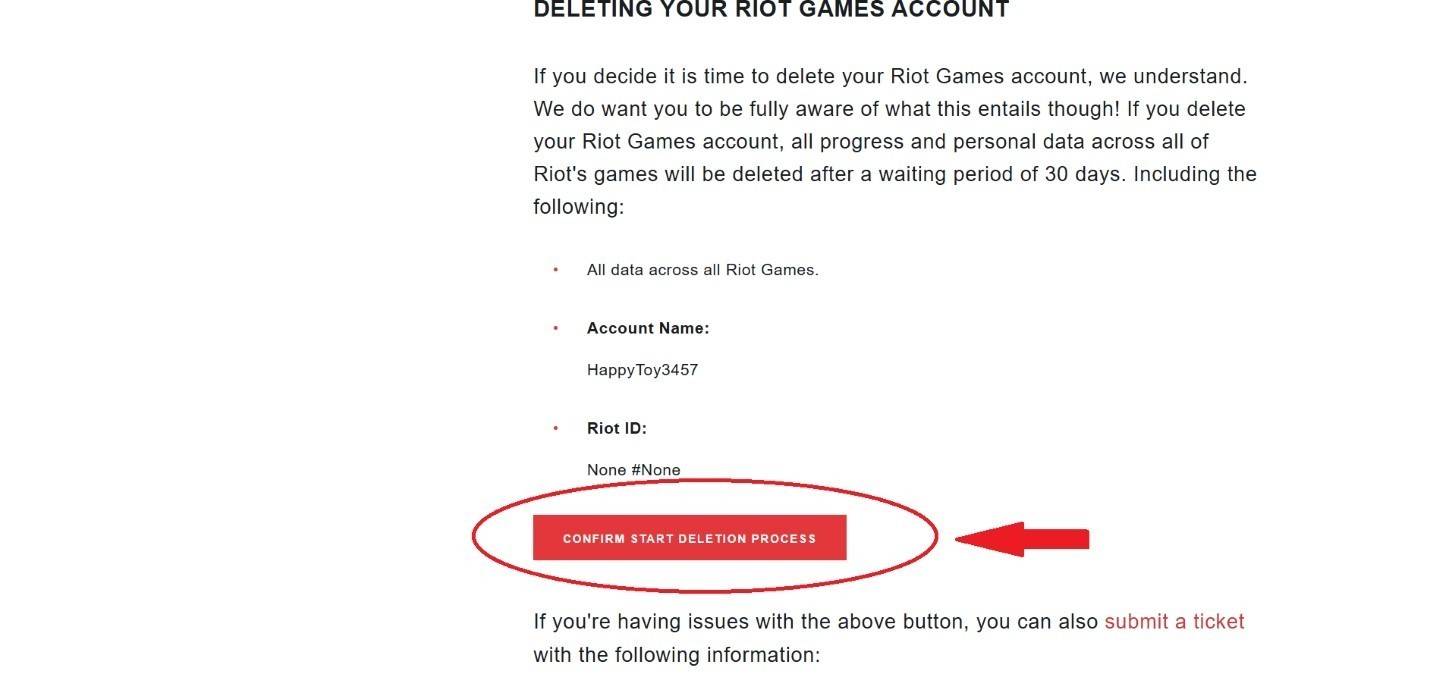 Image: ensigame.com
By following these four straightforward steps, you can initiate the deletion of your Riot Games account. Remember, this action will impact all Riot Games titles, and your account will remain deactivated for 30 days. As a precaution, ensure you remove any linked bank card information before proceeding.
What Happens After You Delete Your Account?
 Image: pinterest.com
After initiating the deletion, Riot Games requires 30 days to permanently remove your account. During this time, the account remains inactive. Once the 30-day period elapses, your account, including your username, skins, and other personal data, will be permanently deleted, allowing another player to potentially use your former username. If you change your mind, you can contact support within the first 25 days to request the cancellation of the deletion process.
Can You Restore Your Account After Deletion?
Unfortunately, once the 30-day period is over, it's impossible to restore your account. If your account was hacked and deleted by the hackers, you can reach out to Riot Games support for assistance. However, Riot Games may not always be able to help, especially if the account has been fully deleted, making recovery nearly impossible.
Why Do People Delete Their Accounts?
 Image: pinterest.com
The reasons for deleting a gaming account can vary widely, from simply losing interest in the game to more serious issues like combating gaming addiction. Some players find that deleting their account is a necessary step to curb their excessive gaming habits, which can sometimes resemble addiction to drugs. This problem can lead to severe consequences such as job loss, dropping out of school, and social isolation, affecting individuals of all ages.
Excessive gaming, especially with titles like League of Legends, can have negative effects on both young and older players. While deleting the game may provide temporary relief, for those struggling with gaming addiction, fully deleting their account might be the only effective way to regain control over their lives. For many, this decision is a significant step towards prioritizing their studies or career, free from the distractions of gaming.
 Latest Downloads
 Downlaod


 Top News








