

*Fortnite* is a free-to-play game that captivates millions with its vibrant world and enticing skins. If you're someone who enjoys splurging on V-Bucks to deck out your character, it's crucial to keep tabs on your spending. Here's how you can track just how much money you've spent on *Fortnite*.
How To Check Just How Much Money You Have Spent on Fortnite
There are two effective ways to monitor your *Fortnite* expenditures: through your Epic Games Store account and using an online tool like Fortnite.gg. Staying vigilant about your spending helps prevent any unexpected hits to your bank balance.
Why is this important? Small, frequent purchases can quickly accumulate, as illustrated by a story from NotAlwaysRight, where a woman unknowingly spent nearly $800 on *Candy Crush* in just three months, thinking she had only spent $50. Keeping an eye on your spending can save you from similar surprises. Let's dive into the methods to check your *Fortnite* expenditure.
Check Your Epic Games Store Account
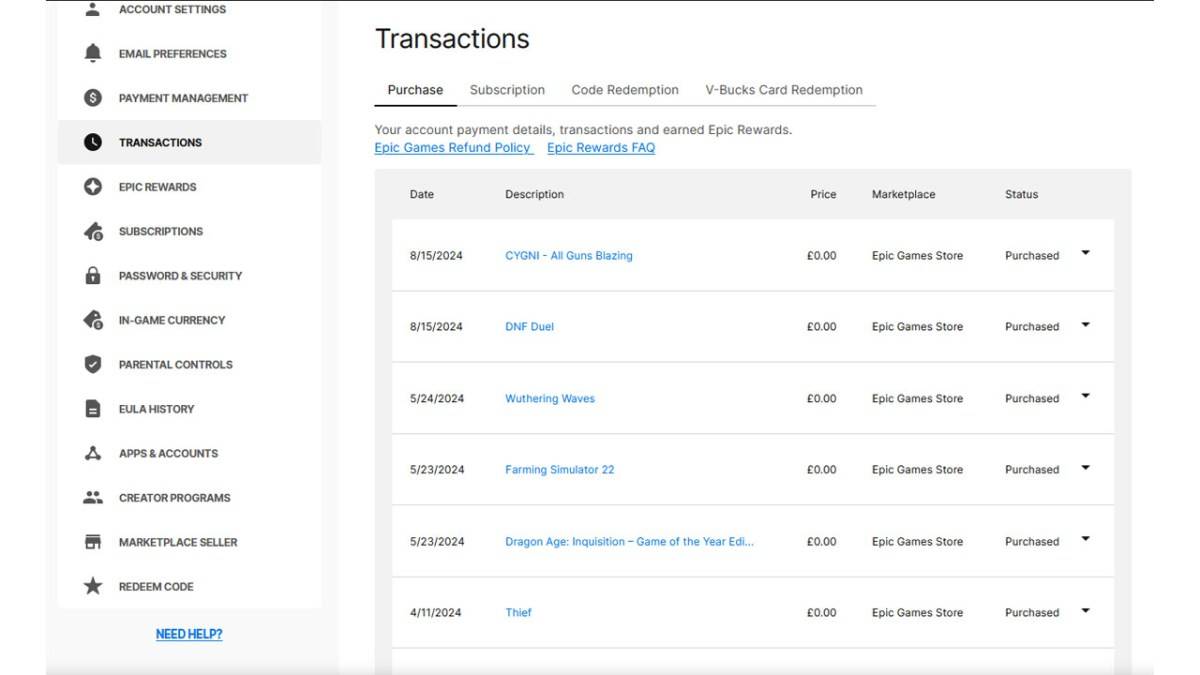
All V-Buck transactions are processed through your Epic Games Store account, regardless of the platform or payment method. To review your spending, follow these steps:
- Visit the Epic Games Store website and log into your account.
- Click on your username in the top right corner, then select 'Account', followed by 'Transactions'.
- On the 'Purchase' tab, scroll through your transactions, clicking 'Show More' to load additional entries until you find items like "5,000 V-Bucks". Note down the V-Bucks and currency amounts for each transaction.
- Use a calculator to sum up the total V-Bucks and currency spent.
Be aware of a few nuances: transactions from free weekly games will also appear, so you'll need to sift through these. Also, if you've redeemed V-Bucks cards, the actual dollar amount might not be displayed. This method provides the most direct insight into your *Fortnite* spending.
Related: All Mending Machine Locations in Fortnite Chapter 6 Season 1
Use Fortnite.gg
As noted by Dot Esports, you can use Fortnite.gg to manually track your purchases. Here's how:
- Visit Fortnite.gg and either sign in or create an account.
- Navigate to the 'My Locker' section.
- Manually add every outfit and item you've purchased from the 'Cosmetics' section by clicking on an item and then selecting '+ Locker'. You can also search for specific outfits.
- Once your locker is updated, it will display the total number of outfits and their collective V-Buck value.
After obtaining your total V-Bucks spent using either method, you can use a V-Buck calculator to estimate the equivalent dollar amount. While neither method is flawless, they offer valuable insights into your *Fortnite* spending habits.
*Fortnite is available to play on various platforms, including the Meta Quest 2 and 3.*
 Latest Downloads
 Downlaod




 Top News








