Дом > Новости > "Как установить Minecraft на Chromebook: пошаговое руководство"

"Как установить Minecraft на Chromebook: пошаговое руководство"

By AaronMay 19,2025

Minecraft - очень популярная игра, известная своей универсальностью на различных устройствах, включая Chromebooks, которая работает на Chrome OS. Многим пользователям любопытно, можно ли играть в Minecraft на таком устройстве, и ответ является громким да!

В этом комплексном руководстве мы проведем вас через процесс установки и предложим ценные советы по улучшению вашего игрового опыта на Chromebook.

Оглавление

  • Общая информация о Minecraft на Chromebook
  • Включение режима разработчика
  • Установка Minecraft на Chromebook
  • Запуск игры
  • Как играть в Minecraft на Chromebook с низкими характеристиками
  • Повышение производительности на Chrome OS

Общая информация о Minecraft на Chromebook

Чтобы обеспечить стабильный игровой процесс, ваш Chromebook должен соответствовать следующим минимальным спецификациям:

  • Архитектура системы: 64-битная (x86_64, ARM64-V8A)
  • Процессор: AMD A4-9120C, Intel Celeron N4000, Intel 3865U, Intel I3-7130U, Intel M3-8100Y, Mediatek Kompanio 500 (MT8183), Qualcomm SC7180 или лучше
  • ОЗУ: 4 ГБ
  • Хранение: по крайней мере 1 ГБ свободного пространства

Если ваше устройство удовлетворяет эти требования, но все же испытывает отставание, не волнуйтесь - мы предоставим руководство в конце, чтобы помочь вам оптимизировать производительность. Теперь давайте погрузимся в процесс установки.

Вы можете напрямую установить издание Bedrock из магазина Google Play, что является простым: откройте магазин, найдите Minecraft и перейдите на его страницу. Обратите внимание, что это стоит 20 долларов, но если у вас уже есть версия Android (7 долларов), вам нужно только заплатить еще 13 долларов. Этот метод идеально подходит для тех, кто предпочитает быструю и легкую установку.
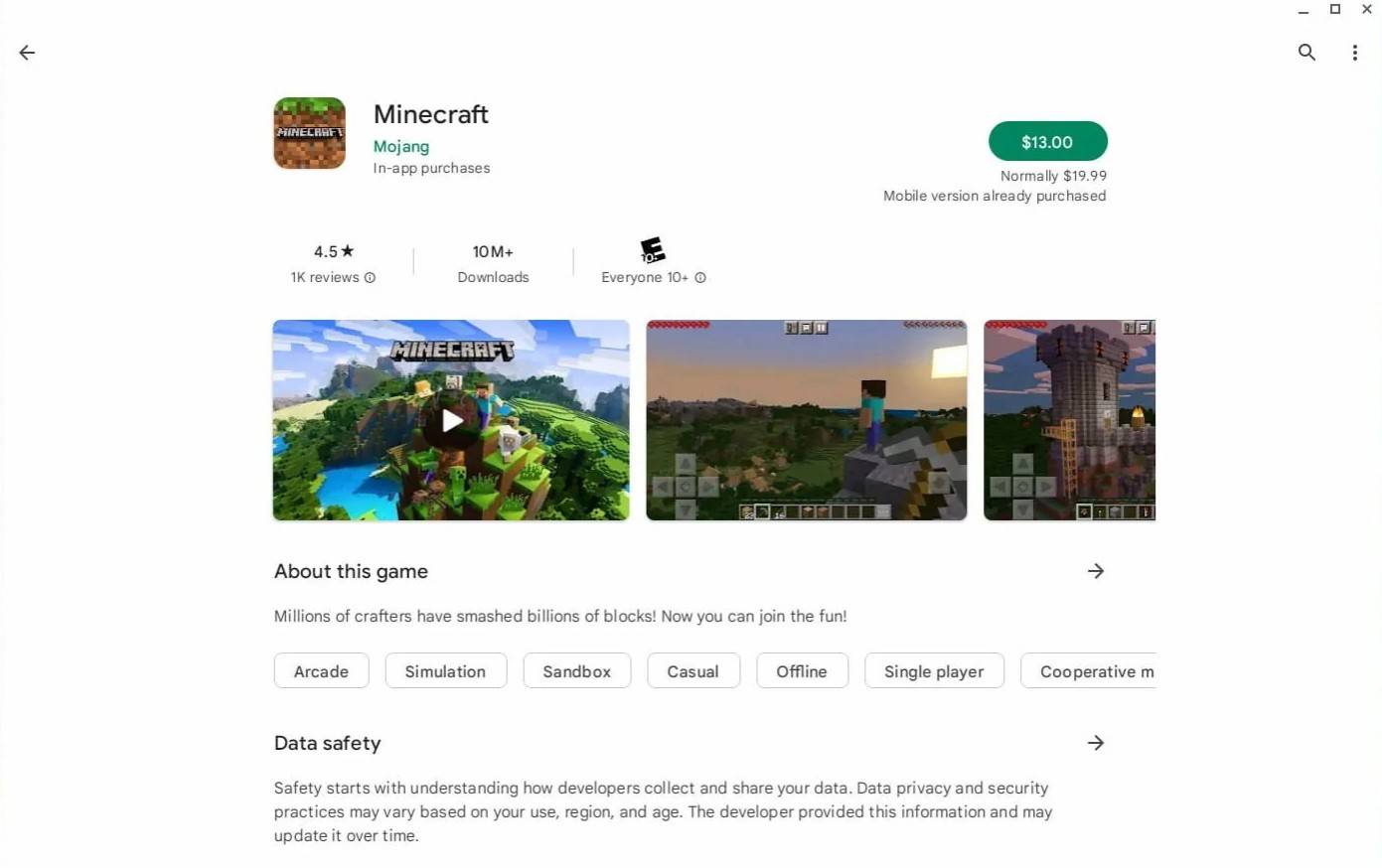
Minecraft для Chromebook
Изображение: aTchromeBooks.com

Однако, если выпуск Bedrock не ваша чашка чая, вам повезло. Поскольку Chrome OS основана на Linux, вы можете установить версию Minecraft Linux. Этот процесс требует большего внимания к деталям из -за отличий от Windows, включая некоторое кодирование. Мы подготовили подробное руководство, чтобы помочь вам запустить Minecraft на вашем Chromebook всего за полчаса.

Включение режима разработчика
Minecraft на Chromebook
Изображение: YouTube.com

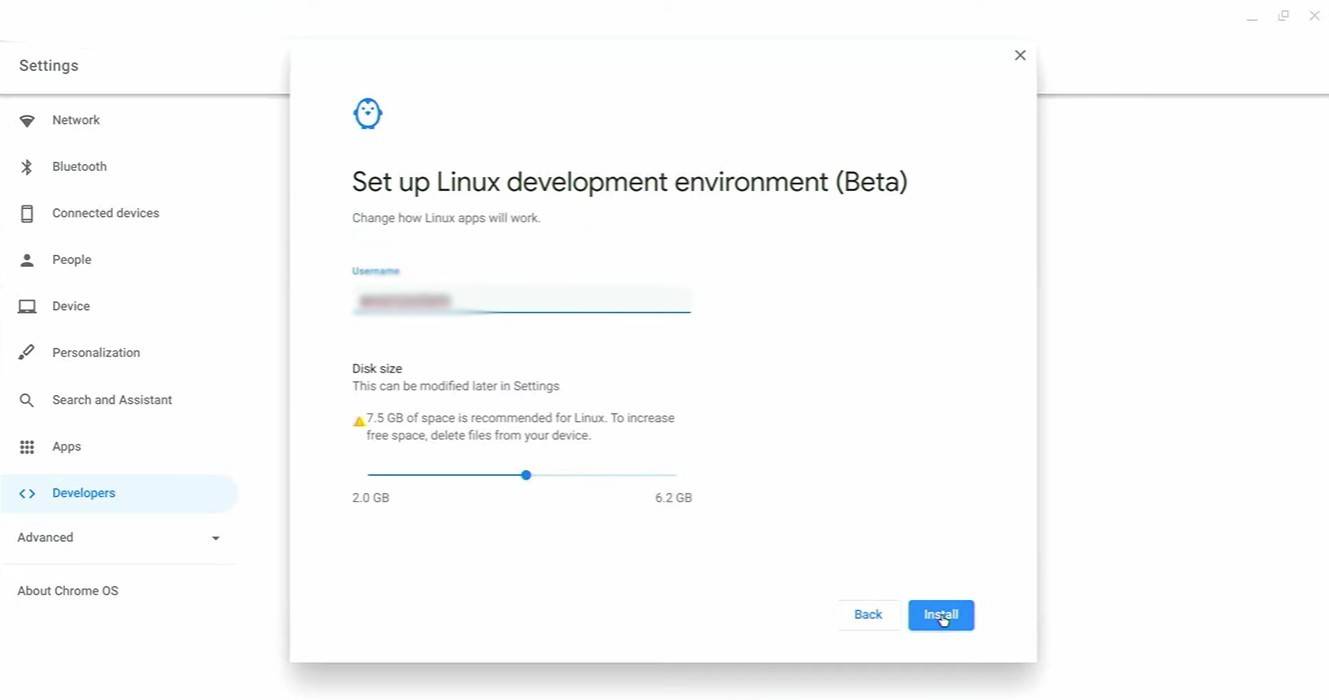
Для начала вам нужно будет включить режим разработчика на вашем Chromebook. Перейдите в меню «Настройки», похожее на меню «Пуск» в Windows, и найдите раздел «Разработчики». Включите вариант «среда разработки Linux» и следуйте инструкциям на экране. После завершения откроется терминал, который аналогичен командной строке в Windows и где вы продолжите процесс установки.

Установка Minecraft на Chromebook
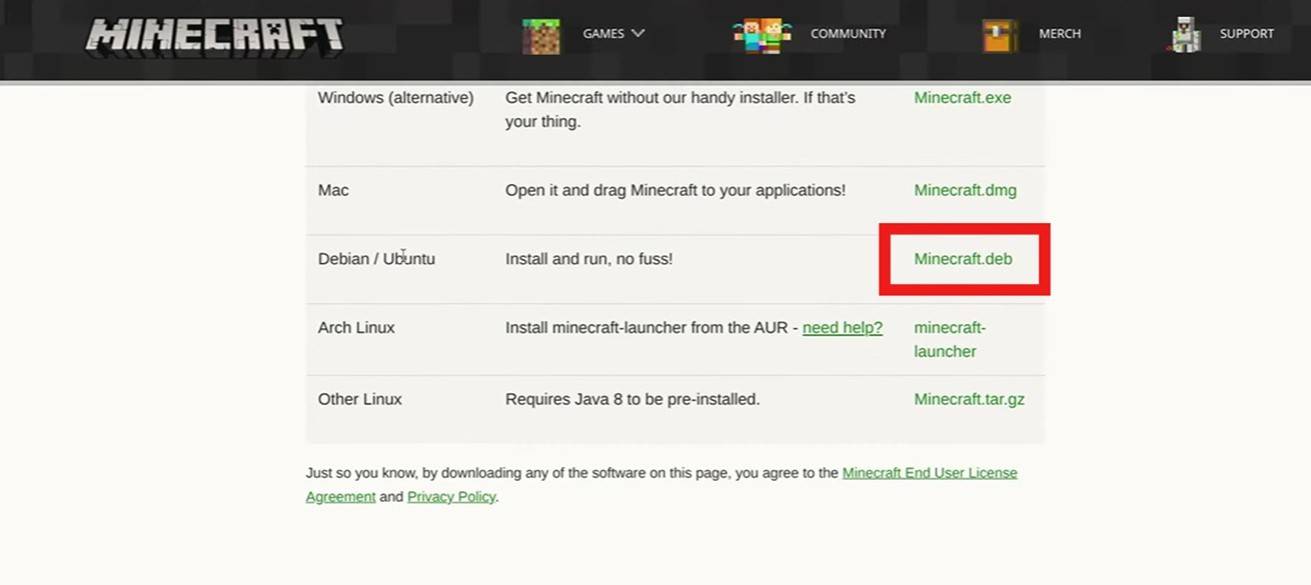
Minecraft для Chromebook
Изображение: YouTube.com

Предыдущая статья:Construction Simulator 4: мастер-строитель с Expert советами Следующая статья:Dying Light: The Beast – 5 Tips for Surviving Castor Woods | IGN First As Dying Light: The Beast dives deeper into the dark heart of Castor Woods, players are thrust into one of the most dangerous and atmospheric zones yet in the Dying Light universe. With new biome hazards, aggressive enemies, and a relentless threat that stalks you at night, surviving here demands more than just parkour and melee combat. Here are five essential tips to help you stay alive and thrive in Castor Woods: 1. Master the Terrain – Use the Forest to Your Advantage Castor Woods is dense, overgrown, and full of verticality. Unlike the open cityscapes of Harran, here the trees, collapsed buildings, and tangled undergrowth offer natural cover — but they also obscure your vision and can hide enemies. Stay on high ground when possible. Use rooftops, old watchtowers, and wooden platforms to scout ahead. Avoid open clearings at night. The Beast and other creatures move faster and are more aggressive in open areas. Use the environment to ambush: Drop down from trees to surprise enemies, or set traps in narrow pathways. 2. Know the Beast’s Patterns – Hunt It, Don’t Run From It The Beast isn’t just a random threat — it follows predictable hunting patterns. Learn them to survive. The Beast only emerges at night. Stay in safe zones (marked by flares or barricaded buildings) during darkness. It tracks sound and movement. Avoid running, clattering metal, or loud gunfire at night. Use noise to your advantage: Lure it into traps or narrow alleys, then take it down using environmental hazards like gas tanks or collapsing structures. 3. Stock Up on Upgrades and Medic Castor Woods is harsher than any zone before — your gear won’t last long if you’re not prepared. Always carry at least 3–4 med kits and 10+ adrenaline syringes. You’ll need them for stamina recovery during chases. Upgrade your weapons early: Use scavenged materials to improve your melee and ranged weapons. Focus on firearms that deal high damage to large, armored enemies. Keep your backpack light but efficient. Prioritize healing items, flares, and throwable gadgets (like flashbangs and smoke bombs). 4. Use Flares and Light Strategically Light is both a blessing and a curse in Castor Woods. Flares keep you safe from the Beast — but they also attract it. Use flares only when you’re in a secure location (e.g., inside a bunker or under a reinforced structure). Avoid carrying flares at night unless you’re ready to fight. Instead, rely on your flashlight and sound-based stealth. 5. Exploit the Day-Night Cycle for Tactical Advantage The weather and time of day affect enemy behavior and visibility. Daytime is your best time to explore and scavenge. Most enemies are slower and less aggressive. Nighttime is for survival and strategy. Use darkness to hide, but stay alert — the Beast hunts with precision. Plan your missions: Complete objectives during the day, then hole up in fortified areas to survive the night. Final Word: Castor Woods isn’t just another zone — it’s a living, breathing predator. Respect its dangers, master its rhythms, and use every tool at your disposal. With patience, preparation, and cunning, you can not only survive… but dominate the Beast. "In the woods, you don’t outrun the dark. You learn to walk through it." — Dying Light: The Beast – IGN First Stay sharp. Stay silent. And above all — stay alive.