

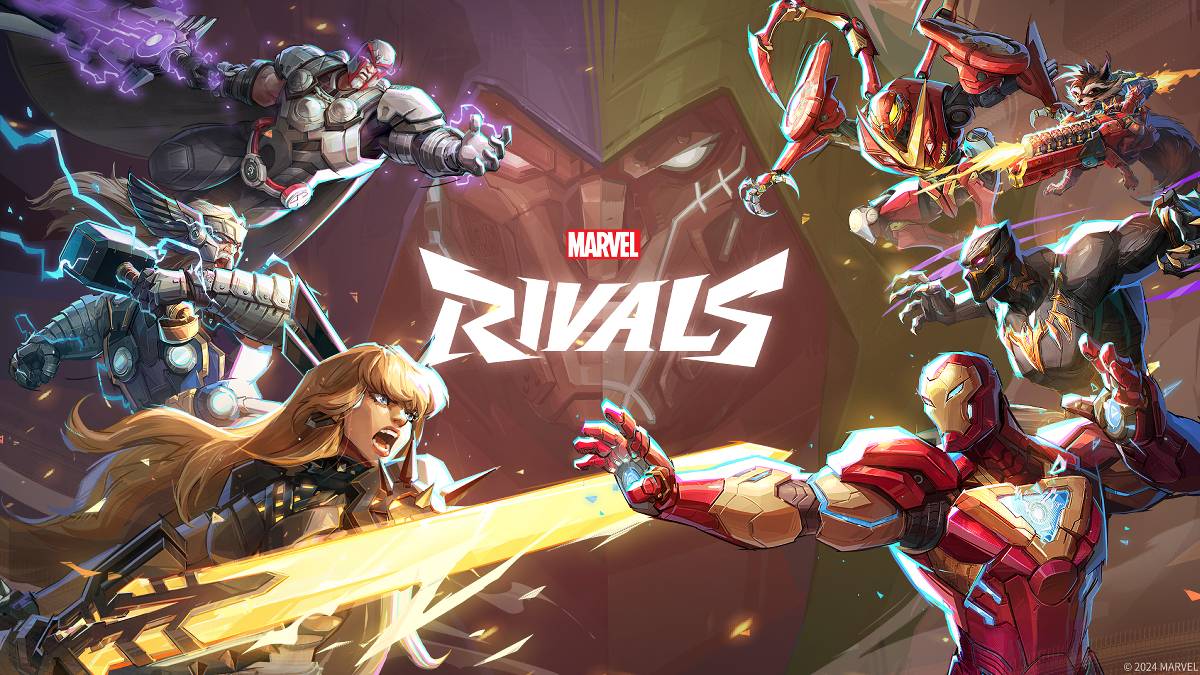
トラブルシューティング マーベルライバル エラーコード:包括的なガイド
モダンなゲームには必然的にバグとエラーコードが含まれ、 マーベルライバル も例外ではありません。このガイドは、ゲームプレイを妨げる可能性のある一般的なエラーコードのソリューションを提供します。これらの問題は、ゲームの発売を防ぐことから、クラッシュ、ラグ、スタッターの原因にまで及びます。
一般的な マーベルライバル エラーコードとソリューション
以下の表には、頻繁に遭遇するエラーコード、それらの説明、および推奨されるトラブルシューティング手順を示します。
| Error Code | Description | Solution |
|---|---|---|
| Error 4 | This error often appears on PlayStation but can also occur on PC. | Check internet connection; Verify server status; Relaunch *Marvel Rivals*. |
| 99% Loading Bug | Game gets stuck at 99% during match loading. | Check internet connection; Close background applications; Adjust Network Diagnostic Settings. |
| Error 211 | Commonly seen when launching via Steam, indicating connection problems. | Check server status; Disable third-party server blockers; Check internet connection; Verify game files. |
| Error 10 | Appears on launch, usually due to poor internet connection. | Check internet connection; Relaunch *Marvel Rivals*; Check server status. |
| Error 220 | May be caused by server location or firewall settings. | Modify security firewalls; Adjust DNS settings; Disable third-party server blockers; Use a VPN. |
| Error 21 | Sometimes encountered by Xbox players on launch. | Restart console; Reset router; Check server status; Disable IPv6 on internet connection; Use a VPN. |
| Error 5 | Experienced by PlayStation players; indicates high ping and packet loss. | Address high ping and packet loss (check internet connection, etc.). |
| Error 26 | Prevents gameplay. | Check internet connection; Disable VPN; Clear cache files; Verify game files. |
| Packet Loss Error | High ping and packet loss due to high latency. | Check internet connection; Close background applications; Adjust Network Diagnostic Settings. |
| DX12 Not Supported | Game won't launch due to unsupported DX12; usually caused by Windows updates or GPU incompatibility. | Update Windows; Update GPU drivers; Reinstall *Marvel Rivals*. |
| Error Code 258 | Login failure via PC launcher (often Epic Games Store). | Troubleshooting specific to Epic Games Store launcher. |
| Error LS-0014 | Encountered with Epic Games Store launcher. | Check antivirus software; Verify game files; Reinstall the game. |
| Igniting the Timestream | Occurs during matchmaking. | Check server status; Restart the game; Check internet connection. |
| Version Mismatch | Appears after game updates. | Verify game files; Check for updates; Check internet connection. |
| Out of Video Memory | Prevents gameplay. | Check VRAM; Update GPU drivers; Close background applications. |
| Blue Screen Error | A critical error, though relatively infrequent. | Clean install GPU drivers; Lower graphics settings; Run Windows Memory Diagnostic Tool. |
- Marvel Rivals*は現在、PS5、PC、およびXboxシリーズXで利用できます。
 最新のダウンロード
もっと+
最新のダウンロード
もっと+
-
 Kid-E-Cats Cars, Build a house
子ども 丨 98.0 MB
 Downlaod
-
 Word Cabin
パズル 丨 14.60M
Downlaod
-
 3D Tile Match Puzzle
トリビア 丨 35.6 MB
Downlaod
-
 Woodber - Classic Number Game
カード 丨 111.00M
Downlaod
-
 Word Mind: Crossword puzzle
言葉 丨 82.3 MB
Downlaod
-
 Gangster 4
アクション 丨 152.0 MB
Downlaod
 トップニュース
もっと+
トップニュース
もっと+

-
 原神 のすべての Mavuika マテリアル、キット、コンステレーション
Jan 21,2025
-
 Zenless Zone Zero:エージェントに会います
Jan 26,2025
-
Sonic 4リリース日が明らかになりました
Mar 12,2025
-
 WWE 2K25ハンズオンプレビュー
Feb 26,2025
トピック
もっと+
トレンドのゲーム
もっと+
-
1

Fairy Fixer294.15M
フェアリー フィクサーと一緒にウィンクス クラブの魔法の世界に飛び込みましょう! ブルーム、ステラ、ムーサ、フローラ、テクナと一緒に、Magix とその先の魅惑的な領域を巡るエキサイティングな冒険に出かけましょう。 これは単なるゲームではありません。それはスリリングなストーリー展開の中での自己発見の旅です。 フェアリーフィクサーは富を提供します
-
2

Petit Prof - Jeu d'école125.9 MB
あなたの子供がMySchoolで学ぶ方法を変えてください!あなたの小さな人が担当し、自分の仮想教室の教師になることができる教育の世界に飛び込みます。 MySchoolは、1年生から5年生までの学生向けに調整された革新的な教育アプリで、学習をエベロラタンに変えます
-
3

Tom & Jerry: Mouse Maze66.8 MB
トムを出し抜いて、ジェリーがチーズへの欲求を克服できるように手伝ってください! 新しいゲームモードが利用可能になりました! ジェリーの空腹は飽くなきものです!彼はチーズをすべて集める旅をしていますが、トムの執拗な追跡により、その旅は危険なものになります。 3 つのエキサイティングなゲームモード クラシックモード、スリル満点を体験
-
4

Unciv21.83MB
無料かつオープンソースの 4X Civilization ゲーム 歴史上最も有名な文明構築ゲームを、高速、軽量、広告なし、永久に無料でオープンソースで再現したゲームです。 自分の帝国を築き、高度なテクノロジーを習得し、都市を拡大し、ライバルを征服しましょう! 機能のリクエストはありますか?バグ報告? ワン
-
5

Geometry Dash Breeze47.97M
Robotop Games(2013)の活気に満ちた2DリズムベースのプラットフォーマーであるGeometry Dash Breezeは、プレイヤーに魅惑的なレベルと課題を提供します。 ゲームをマスターするには、パーソナライズされたレベルを作成するオプションが追加された正確なジャンプと飛行操作が含まれます。 その中毒性のゲームプレイ
-
6

Ludo World61.1 MB
Ludo World(以前のLudo Superstar)は、究極のLudo Superstarになるように誘います!クラシックなLudo/Parcheesiゲームプレイに加えて、エキサイティングな新しいパワーモードを体験して、友人や家族との強化された楽しみを提供します。 Ludo Worldのユニークなパワーモード:2倍の距離:ロールを2倍にしてズーム