

 BioWare has detailed the PC features coming to Dragon Age: The Veilguard, ensuring a top-tier experience for players on the platform where the series began. Expect a polished release with extensive optimization.
Dragon Age: The Veilguard PC Optimization: A Deep Dive
More Details on PC Features, Companions, and Gameplay Coming Soon!
BioWare's recent developer update highlighted significant PC-specific features. These include extensive customization options, advanced display settings, and complete integration with Steam, offering cloud saves, Remote Play, and Steam Deck compatibility.
The October 31st release date (confirmed via an Nvidia RTX announcement trailer) underscores BioWare's commitment to PC. The studio dedicated approximately 200,000 hours to performance and compatibility testing on PC—40% of their total platform testing. Further, nearly 10,000 hours were invested in user research to refine controls and UI across various setups.
Expect native support for PS5 DualSense controllers (with haptic feedback), Xbox controllers, and keyboard/mouse. Seamless switching between input methods is possible mid-game or in menus. Customizable class-specific keybinds allow for personalized control schemes. The game will support 21:9 ultrawide displays, a cinematic aspect ratio toggle, adjustable field of view (FOV), uncapped frame rates, full HDR support, and ray tracing.
Veilguard Recommended System Requirements
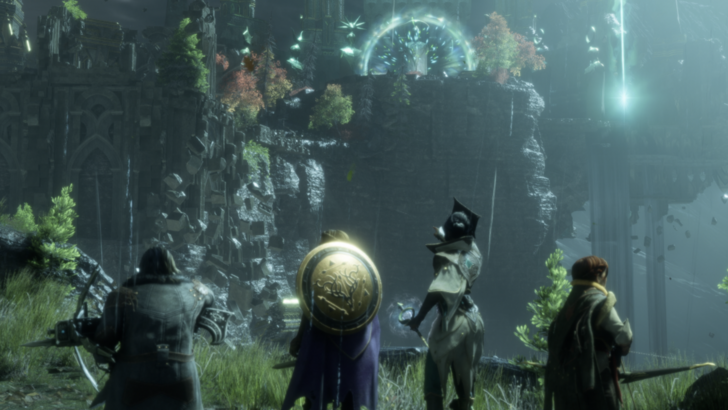 BioWare promises more information on additional PC features, combat, companions, and exploration closer to launch. For optimal performance, consider these recommended specifications:
| Recommended Specifications | |
|---|---|
| Operating System | 64-bit Windows 10/11 |
| Processor | Intel Core i9-9900K / AMD Ryzen 7 3700X |
| Memory | 16 GB RAM |
| Graphics | NVIDIA RTX 2070 / AMD Radeon RX 5700XT |
| DirectX | Version 12 |
| Storage | 100 GB available space (SSD required) |
| Notes: | AMD CPUs on Windows 11 require AGESA V2 1.2.0.7 |
 Latest Downloads
 Downlaod




 Top News








