

GTA 5 & GTA Online: Mastering the Art of Saving
Grand Theft Auto 5 and GTA Online utilize autosave functionality, automatically recording progress during gameplay. However, the precise timing of autosaves can be unpredictable. To prevent potential data loss, players can employ manual saving techniques and trigger forced autosaves. This guide details these methods for both GTA 5 Story Mode and GTA Online.
A rotating orange circle in the bottom-right corner signifies an active autosave. While easily missed, its presence confirms a successful automatic save.
GTA 5 Story Mode Saving
Utilizing Safehouses
Manual saving in GTA 5's Story Mode is achieved by sleeping in a Safehouse bed. Safehouses, indicated by white house icons on the map, are the protagonists' residences. Upon entering a Safehouse, approach the bed and press:
- Keyboard: E
- Controller: Right on the D-pad
This action initiates the Save Game menu.
Employing the Cell Phone
For a quicker save, bypass the Safehouse and use the in-game cell phone:
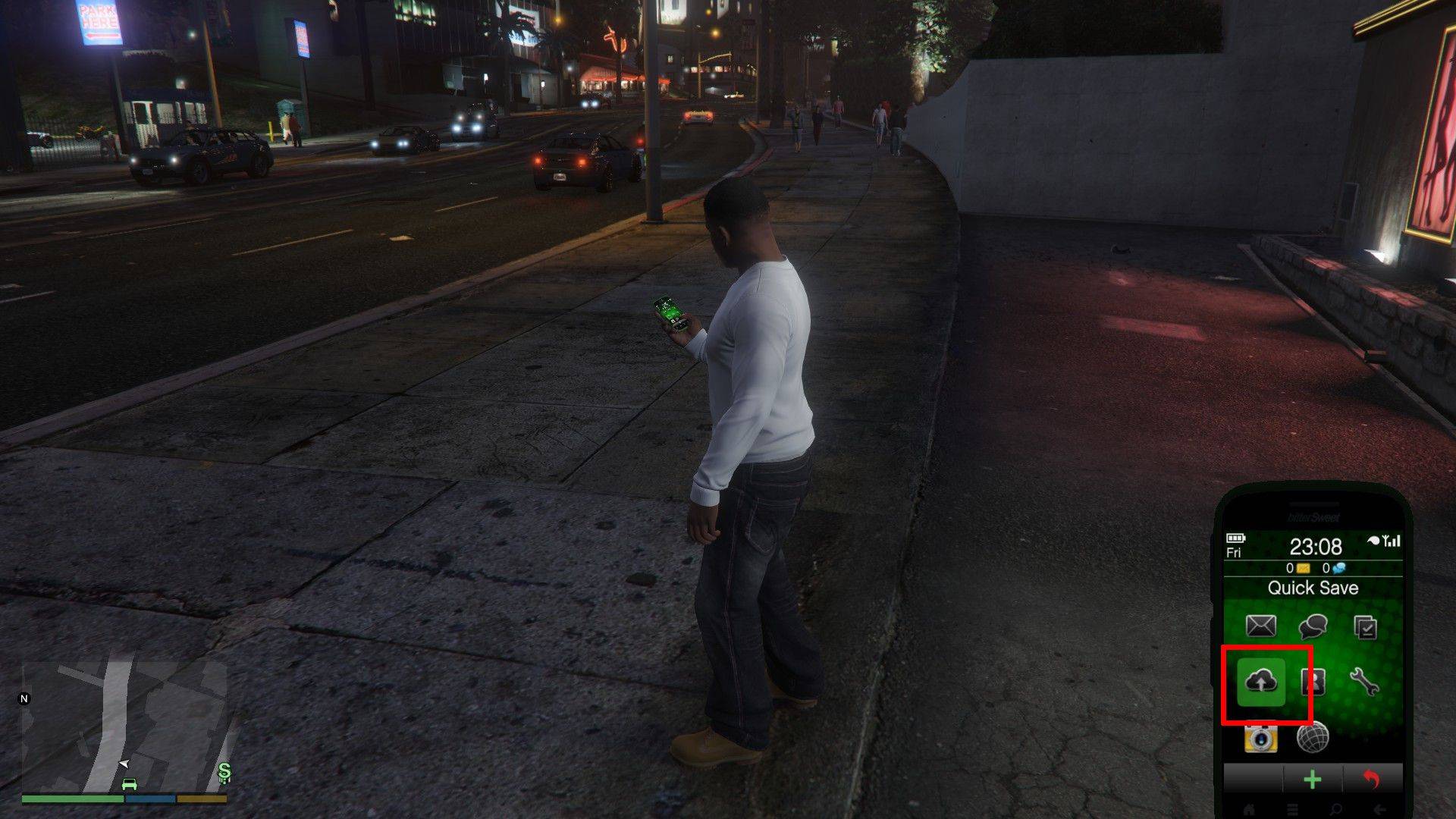
- Access the cell phone (Keyboard: Up arrow; Controller: Up on D-pad).
- Select the cloud icon to open the Save Game menu.
- Confirm the save.
GTA Online Saving
Unlike GTA 5's Story Mode, GTA Online lacks a dedicated manual save menu. However, forced autosaves can be triggered using these methods:
Outfit/Accessory Changes
Altering your outfit or even a single accessory forces an autosave. Look for the spinning orange circle in the bottom-right corner upon completion. Repeat if the circle doesn't appear.
- Open the Interaction Menu (Keyboard: M; Controller: Touchpad).
- Select Appearance, then Accessories. Swap an accessory or change your Outfit.
- Exit the Interaction Menu.
Utilizing the Swap Character Menu
Navigating to the Swap Character menu, even without switching characters, also triggers an autosave.
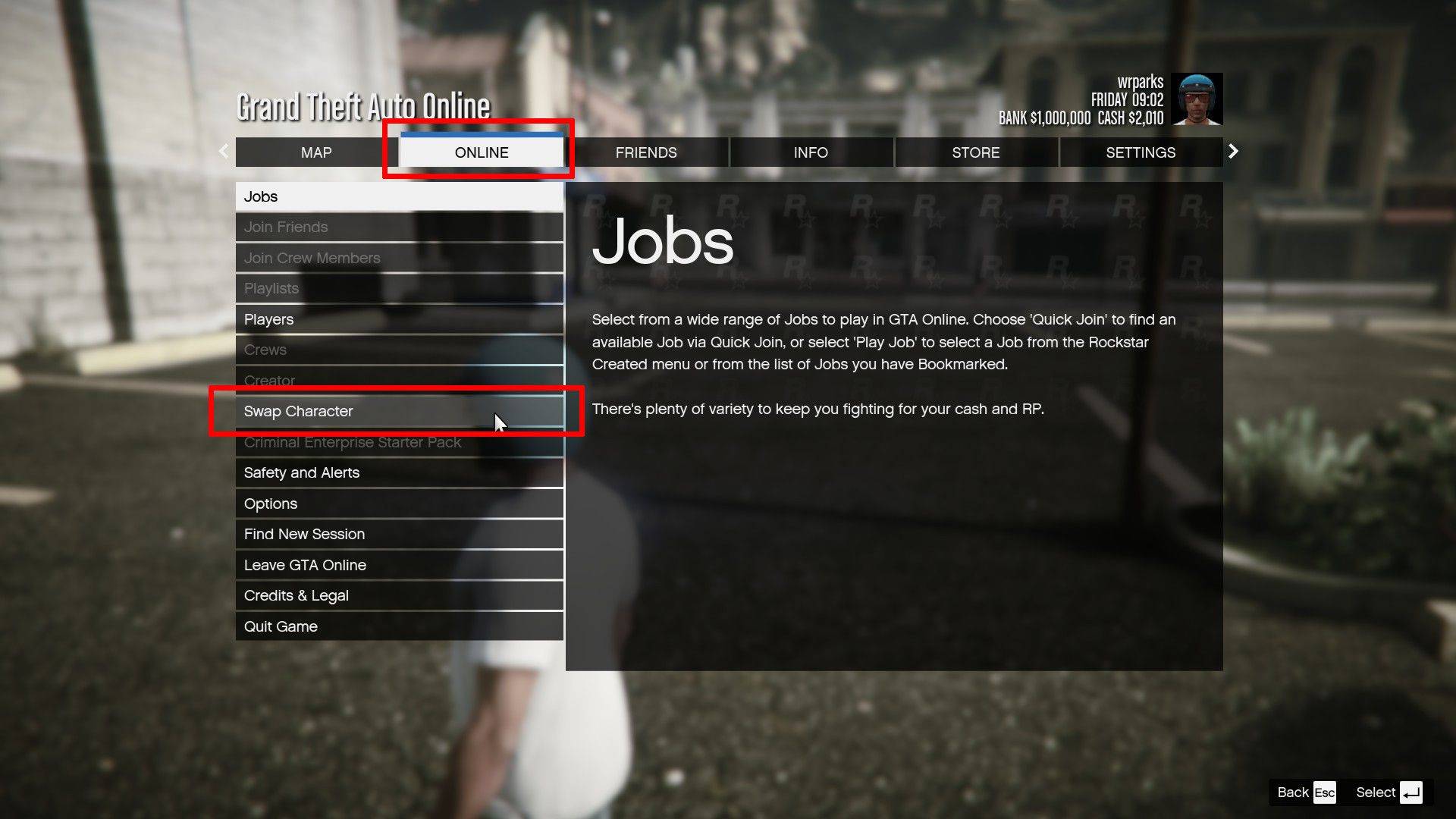
- Open the Pause Menu (Keyboard: Esc; Controller: Start).
- Go to the Online tab.
- Select Swap Character.
By utilizing these methods, players can confidently manage their saves in both GTA 5 and GTA Online, minimizing the risk of losing progress.
 Latest Downloads
 Downlaod




 Top News








